The premium for additional hours is not just a simple payroll adjustment it is a significant legal, financial, and organizational issue. Between the 10% threshold, the 25% rate, contractual limits, and the risk of reclassification, even the smallest discrepancy can directly impact your payroll… and your compliance. In environments where schedules are constantly changing, accurately tracking the hours actually worked is complex. How can the premium for additional hours be calculated correctly? What rules must be followed? And above all, how can this data be secured to ensure reliable payroll? MoveWORK answers all your questions in this article.
Additional hours VS overtime: what’s the difference?
Distinguishing between overtime hours and additional hours is not always straightforward. Yet these two concepts lie at the heart of working time management and employee compensation. While they may sound similar, they refer to clearly distinct legal realities, determined in particular by the employee’s type of contract and the applicable collective agreements.

Additional hours apply exclusively to part-time employees. They correspond to the hours worked beyond the duration specified in their employment contract. By contrast, overtime applies to full-time employees and refers to the hours worked beyond the legal 35-hour workweek.
Permanent contracts, fixed-term contracts, full-time, part-time, collective agreements… HR parameters can quickly pile up, and confusion can set in. To secure payroll and avoid disputes, your management tool must automatically identify the differences and apply the appropriate rates for these two categories of hours. Confusing them can expose you to calculation errors, URSSAF audits, and in some cases even the reclassification of your employees’ contracts.
How do you calculate the premium for additional hours?
The premium system for additional hours is strictly governed by the Labor Code. Two levels of premium apply, depending on the number of hours worked beyond the contract. In practical terms, additional hours are paid based on the employee’s usual hourly rate, to which a statutory premium is added under the provisions of the 2013 Employment Security Law:
- +10% for each additional hour worked within the limit of one-tenth of the weekly or monthly duration specified in the contract
- +25% for each hour worked beyond this one-tenth, up to one-third of the contractual duration (if permitted by an agreement)
From a tax perspective, since January 2022, additional hours have been exempt from income tax up to a limit of €7,500 per year. Beyond this threshold, they become taxable again and are subject to withholding tax or adjusted in the annual tax assessment. In other words, the key question is not only how many extra hours have been worked, but precisely when the 10% threshold is exceeded. This is where errors most often occur in companies.
How can you automate the calculation of additional hours?
How does time tracking ensure the correct premium for additional hours?
The accuracy of calculating the premium for additional hours primarily depends on the reliability of the working time data collected. Without precise and structured tracking of start and end times, the company is exposed to calculation errors and payroll discrepancies. Digital time tracking therefore becomes a strategic lever for managing human resources, going far beyond a simple attendance monitoring tool.
Precise tracking of contractual working time
A high-performance time tracking system allows you to precisely configure each employment contract: weekly or monthly duration, authorized limit for additional hours, required rest periods, and specific collective agreement provisions. Each employee is therefore linked to a personalized schedule.
Thanks to this initial setup, each hour worked is automatically compared to the planned contractual volume. Start time, delays, premium additional hours… every data point is fed into your management platform or HRIS tool. In the event of an overrun, alerts are triggered in real time, giving managers immediate visibility over any discrepancies.

Depending on the features of the chosen system, schedules and calendars are automatically adjusted to remain compliant with the applicable thresholds. Monitoring is no longer done retrospectively at the end of the month, but continuously in real time. This proactive approach significantly reduces the risk of errors in applying premiums.
Automatic calculation of premium thresholds
One of the main challenges lies in identifying the 10% threshold of the contractual working time. A digital time tracking tool, combined with an operational management platform such as MoveWORK Flow, can automatically distinguish between hours falling within the first tier (with a 10% premium) and those that must be increased by 25%.
This automation eliminates manual calculations and reduces approximations. It ensures that each additional hour is paid at the correct rate, in compliance with the provisions of the Labor Code and any applicable collective agreements. Payroll then becomes an accurate reflection of on-the-ground data, without complex reprocessing or successive corrections.
Evidence in the event of an audit or dispute
Beyond calculation, time tracking serves as legal evidence in the event of an audit. Timestamping of clock-ins and clock-outs, managerial validation of hours worked, adjustments to working time, secure export to payroll… every recorded action can be used in the event of a URSSAF audit or an employment tribunal dispute. With digital time tracking, you can demonstrate that additional hours have been monitored, capped, and paid with the appropriate premium in compliance with the legal framework. Time tracking is therefore not just about counting hours it legally protects the organization and transforms time management into a secure, compliant, and controlled process.
Time tracking tools to ensure the correct premium for additional hours
So yes, time tracking is the solution to ensure the correct premium for additional hours but which method is best suited to your organization? There are several time tracking options designed to adapt to your company and the way your sites operate. A good time tracking system is one that fits your business activities, meets your on-the-ground constraints, is adopted by your teams, and is easy to manage. From simple time clocks to mobile applications, there is a solution for every situation.
1. The time clock
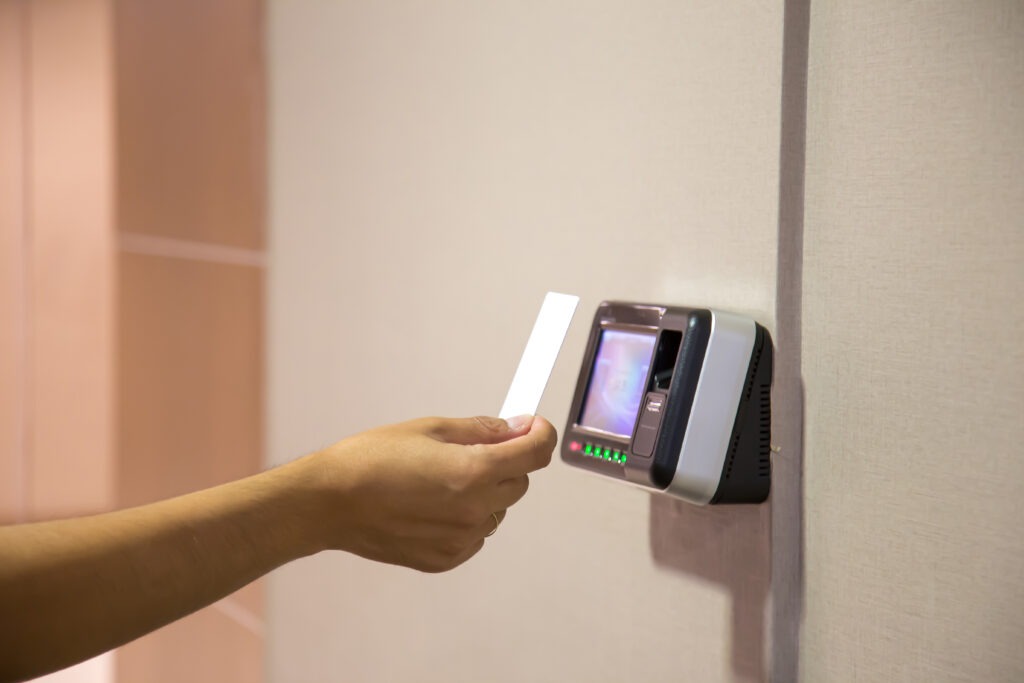
The connected time clock is a simple yet effective device that allows employees to clock in using a badge, chip, key fob, or personal code. Ideal for managing large volumes of staff, it is generally connected to a time management system to ensure automatic synchronization of data as soon as employees clock in and out.
Its operation is simple and effective: employees clock in when they arrive and clock out when they leave. The data is automatically transmitted and centralized in MoveWORK Flow, with no re-entry or risk of error. One of the main advantages of the time clock lies in its ability to identify the employee and therefore apply the correct premium rate for additional hours. No room for manipulation—you have a clear and accurate record of the actual working time performed.
This solution is particularly suited for:
- Managing a fixed site
- A warehouse
- An industrial environment
- A large number of employees
2. The myMissions mobile application
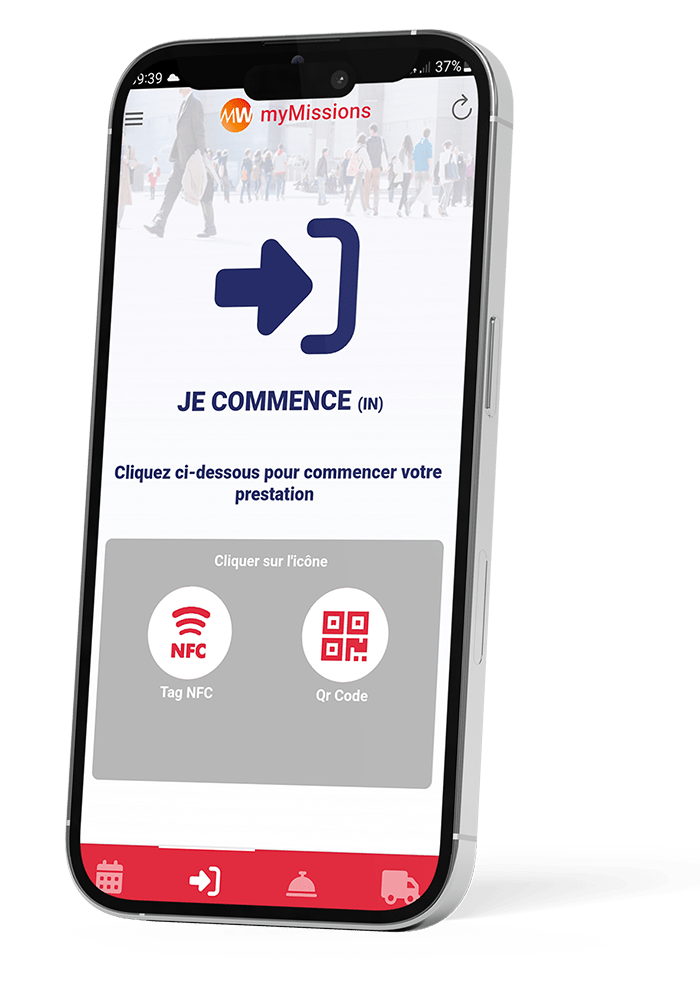
Not all organizations operate from a single site. When your teams work across multiple client locations, you need a flexible and accessible solution regardless of location. The answer: the myMissions mobile application by MoveWORK.
From their smartphone, your agents can clock in within seconds using various technologies: QR code, self-declaration, or NFC tag. The start and end of each task are recorded separately, working time is automatically accumulated, and the calculation of additional hours is automated.
Once the time entry is completed, the data is automatically centralized in MoveWORK Flow. You can monitor activity across all your sites in real time, with a consolidated and reliable overview.
This method is particularly suited for:
Multi-site organizations
Teams working across different client locations
3. The QR code
If you are looking for a solution that is quick to implement and almost immediately operational, the QR code is an ideal alternative. This method combines speed, low cost, and great flexibility. You simply need to display one or several QR codes at strategic clock-in points across your sites. Your employees scan them using their smartphone or professional device, and the time entry is recorded instantly.
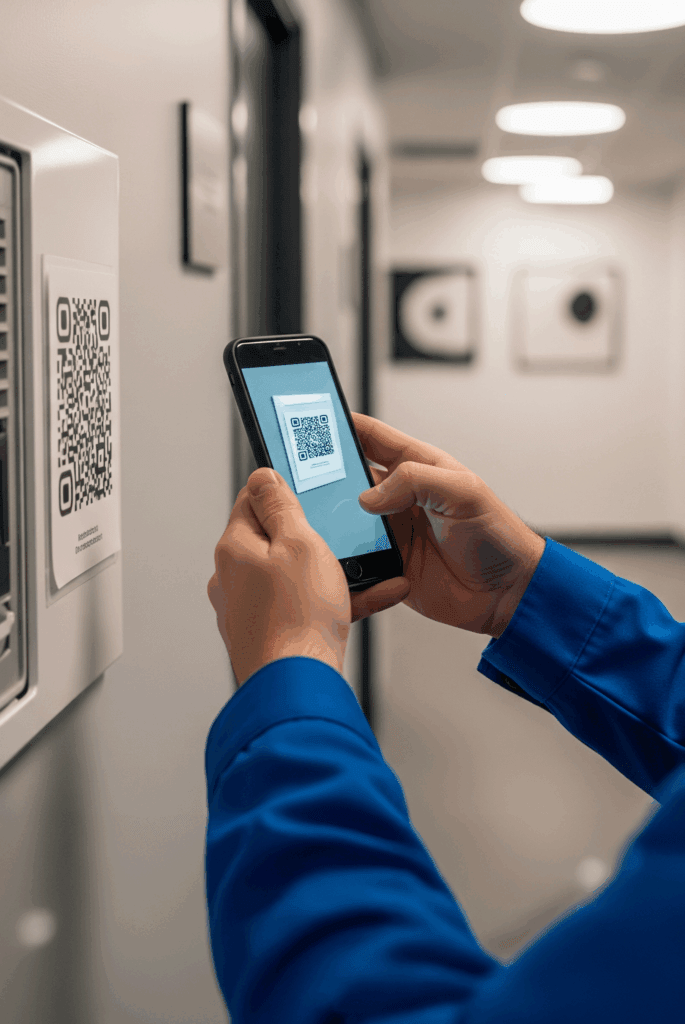
Beyond calculating the premium for additional hours, the real strength of the QR code lies in its multifunctional capabilities. It is not only used for time tracking it can also be used to report incidents, request interventions, or flag issues on operational sites. Thanks to geolocation, your local teams are able to take action quickly and ensure service continuity.
This method is particularly suited for:
- Residential complexes
- Shopping centers
- Public transport sites
- Large-scale multi-site contracts
- Organizations that want to structure their monitoring without investing in hardware
4. The NFC tag
The NFC tag turns time tracking into a simple, fast action fully integrated into on-site operations. In practice, your employees simply bring their smartphone close to the tag installed at the work location, clock in, and additional hours are calculated automatically. Identification is instant, the time is automatically recorded and synchronized in your management tool. No code to enter, no badge to scan, no complex handling the NFC tag eliminates unnecessary steps. In environments where teams handle multiple tasks or work staggered hours, this simplicity makes all the difference.
This method is particularly suited for:
- Environments where every second counts
- Environments where the user experience must be flawless
5. The landline phone
If your employees are reluctant to use their smartphones for time tracking, there is a simple and reassuring alternative: clocking in via a landline phone. No app to install, no badges to distribute, no specific equipment to deploy. Employees simply call a dedicated number from a pre-identified phone. The system automatically recognizes the line and instantly records the working hours. A reliable, accessible, and easy-to-adopt solution, ideal for overcoming resistance to change while securing your working time tracking.
This method is particularly suited for:
- Remote sites
- Reception and hostess services
- Environments where installing equipment is complex
6. The TAQT terminal
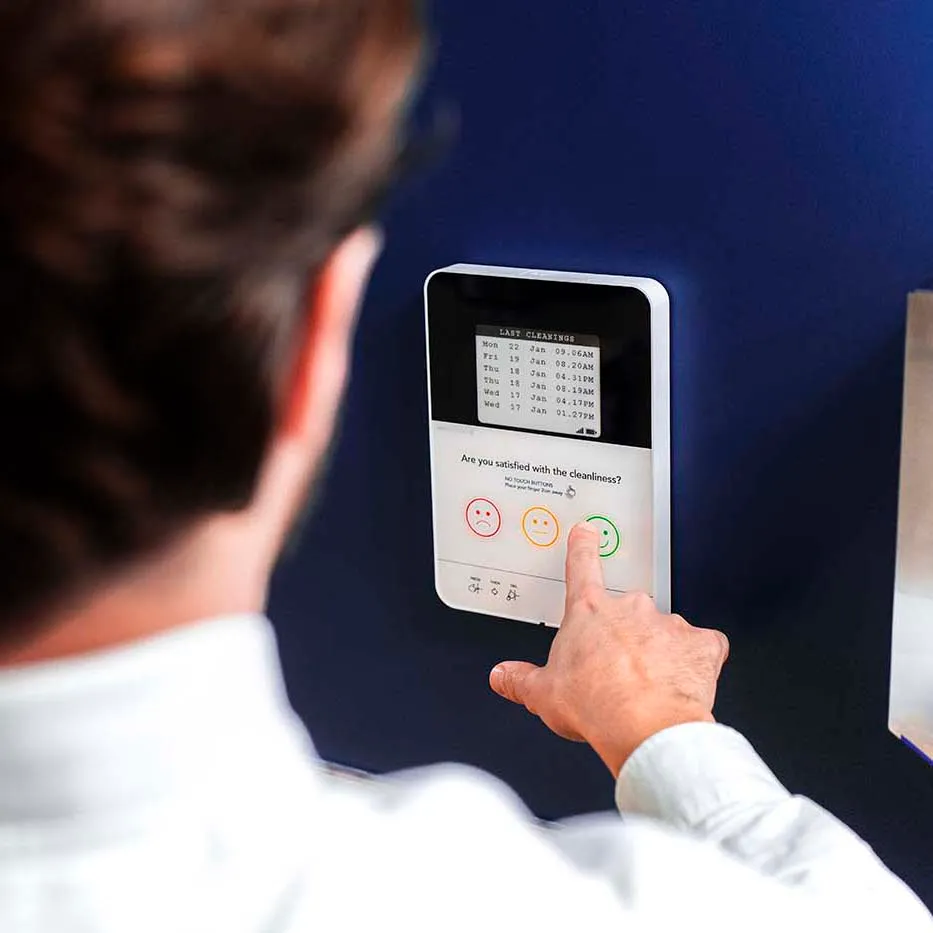
To go further, the TAQT touchscreen terminal goes beyond simple time tracking it becomes a true tool for enhancing your brand image.
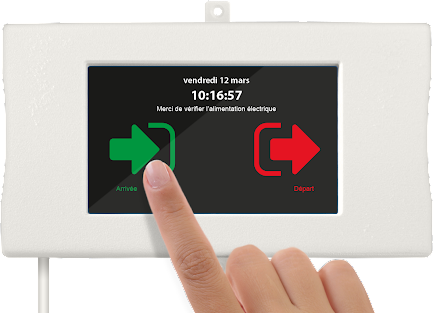
Installed in a lobby, restrooms, offices, or any other public-facing area, it makes your services visible and measurable. Through its screen, the terminal displays the history of clock-ins carried out in the area. It provides proof of team visits, tracks completed tasks, and reassures occupants about the quality of service delivered.
Thanks to its customizable touchscreen interface, the terminal adapts to your needs and your brand identity. You combine transparency with a professional image directly on-site.
Why is the premium for additional hours a source of errors in companies?
The premium for additional hours may seem straightforward on paper. Yet in day-to-day operations, it is one of the most sensitive aspects of time management. Several factors explain why companies frequently make mistakes.
- Poor identification of thresholds: The first source of error concerns exceeding the 10% threshold of contractual working time. In theory, it simply involves calculating 10% of the hours stated in the contract. In practice, when schedules vary, replacements follow one another, or last-minute adjustments are made, it becomes difficult to pinpoint exactly when this threshold is exceeded. Without real-time tracking, hours are often totaled at the end of the month—too late to apply the correct premium rates.
- Errors in rate calculation: Even when thresholds are correctly identified, applying the right rates can be problematic. Some companies apply a single rate to all additional hours, without distinguishing between those within the first 10% (paid with a 10% premium) and those that should be increased by 25%. On top of that, specific provisions from collective agreements may be poorly integrated into payroll settings. The result: pay errors that can lead to back payments and strain relationships with employees.
- Lack of traceability of actual hours worked: The premium is based on a key element the exact number of hours actually worked. If your employees’ working hours are poorly recorded, entered manually with delays, or validated without proper checks, the calculation base itself becomes unreliable. Without accurate timestamps or a history of changes, it becomes difficult to prove the reality of hours worked in the event of a dispute. This lack of traceability exposes the company to legal risks and financial penalties.
- Risk of contract reclassification: Finally, poor management of additional hours can have serious legal consequences. If these hours are poorly monitored and regularly exceed the authorized limits, there is a risk of contract reclassification. In other words, a part-time contract may be reclassified as a full-time contract, leading to back pay, adjustments in social contributions, and significant financial impact.
What are the legal limits on additional hours?
Additional hours are strictly regulated by the Labor Code to protect part-time employees and prevent any drift toward disguised full-time work. The number of additional hours cannot exceed 10% of the contractual working time specified in the contract (weekly or monthly). However, a collective agreement may allow this limit to be increased up to one-third of the contractual duration.
Please note: even in this case, one rule remains mandatory. A part-time employee may neither reach nor exceed 35 hours per week through additional hours. This threshold is an absolute legal limit.
In the event of repeated overruns, lack of accurate tracking, or incorrect application of limits, the employer faces a major risk: reclassification of the contract as full-time. This situation may result in back pay, adjustments to social contributions, and employment tribunal disputes.